

Choosing the right web hosting service can feel overwhelming with so many options out there. You want a provider that offers great performance, solid features, and fits your budget without any hidden surprises.
That’s why comparing Hostinger, GoDaddy, and Bluehost is a smart move before making your decision. Each of these popular hosts brings something different to the table—whether it’s affordability, speed, user-friendliness, or support. If you want to find the best match for your website and avoid costly mistakes, keep reading.
This guide will break down what you really need to know so you can pick the hosting service that works best for you.
Price Comparison
Choosing the right web host often depends on price. Comparing Hostinger, GoDaddy, and Bluehost reveals clear differences. Understanding their pricing helps pick a plan that fits your budget and needs. Let’s break down the costs in detail.
Entry-level Costs
Hostinger offers the lowest starting price among the three. Its entry-level plan begins under $2 per month. Bluehost’s basic plan is slightly higher, around $3 to $4 per month. GoDaddy starts the highest, near $5 per month. Each provides essential features, but Hostinger is the most budget-friendly.
Renewal Fees
Renewal prices rise for all hosts. Hostinger remains affordable, with renewal fees typically under $5 monthly. Bluehost’s renewal fees jump to around $8 to $10 per month. GoDaddy charges the most, often above $10 per month after the first term. These renewal costs affect long-term affordability significantly.
Value For Money
Hostinger delivers strong value with low prices and solid features. It includes free SSL and a domain for the first year. Bluehost offers good support and reliability but at a higher cost. GoDaddy provides many services but charges more without extra benefits. Overall, Hostinger balances price and features better.
Performance Metrics
Performance metrics are essential to choose the right web hosting service. They show how fast and reliable a hosting provider is. These metrics affect user experience and search engine rankings. Hostinger, GoDaddy, and Bluehost each have different strengths. Understanding their performance helps you pick the best fit for your website.
Server Speed And Load Times
Hostinger offers fast server speed with quick response times. Its servers use LiteSpeed technology for better performance. Bluehost provides solid speeds but can be slower during peak traffic. GoDaddy's speed is decent but usually lags behind Hostinger. Faster load times keep visitors engaged and reduce bounce rates.
Uptime Guarantees
Hostinger promises a 99.9% uptime guarantee. Bluehost matches this with similar uptime reliability. GoDaddy also offers 99.9% uptime but has occasional downtime reports. Uptime is critical to keep your site accessible to visitors. More uptime means fewer interruptions and lost visitors.
Reliability
Hostinger is known for stable and consistent performance. Bluehost maintains reliability with good server infrastructure. GoDaddy can experience downtime spikes due to shared hosting overload. Reliable hosting prevents crashes and slowdowns. Your website stays online and works smoothly with reliable hosting.
Features Offered
Choosing the right web host depends on the features they offer. These features impact your website’s performance, ease of use, and security. Hostinger, GoDaddy, and Bluehost each provide a unique set of tools and services. Understanding their offerings helps you pick the best fit for your needs.
Free Domains And SSL
Hostinger includes a free domain name for the first year on many plans. It also offers free SSL certificates, which secure your website with HTTPS. Bluehost provides a free domain for the first year and free SSL on all plans. GoDaddy offers a free domain only on some annual plans. SSL certificates may require additional fees on lower-tier plans.
Website Builders And Tools
Hostinger has a built-in website builder with easy drag-and-drop features. It also supports WordPress and other CMS platforms. Bluehost offers a simple website builder and strong WordPress integration. GoDaddy provides its own website builder with many templates. It also supports WordPress but focuses more on beginners.
Hosting Plan Variety
Hostinger offers shared, cloud, VPS, and WordPress hosting. Its plans suit beginners and advanced users. Bluehost provides shared, VPS, dedicated, and WordPress hosting. It is popular for WordPress sites. GoDaddy has shared, VPS, dedicated, and WordPress hosting too. It also offers domain registration and email hosting services.

Credit: www.youtube.com
User Experience
User experience plays a vital role in choosing a web hosting service. It affects how easily users can manage their websites and solve problems quickly. A smooth user experience saves time and reduces stress. Hostinger, GoDaddy, and Bluehost each offer unique user experiences. Understanding their differences helps pick the best hosting for your needs.
Control Panel Usability
Hostinger uses a custom control panel called hPanel. It is clean, simple, and fast. Users find it easy to navigate without confusion. GoDaddy offers a more traditional cPanel with extra features. It can feel cluttered for beginners. Bluehost also uses cPanel but with a branded look. It balances features and ease of use well. Hostinger’s panel suits beginners best. Bluehost offers a middle ground. GoDaddy’s control panel fits advanced users more.
Customer Support Options
Hostinger provides 24/7 live chat and ticket support. Response times are usually quick. GoDaddy offers phone, live chat, and email support around the clock. Their phone support is a strong point. Bluehost has 24/7 live chat, phone, and email support too. They focus on friendly and helpful staff. Hostinger’s support is reliable but limited to chat and tickets. GoDaddy excels in phone support availability. Bluehost offers the warmest customer service experience.
Setup And Management Ease
Hostinger’s setup is straightforward. It includes a website builder and one-click installer. Users can launch sites quickly without tech skills. GoDaddy offers easy setup with guided steps and many templates. It suits users who want fast results. Bluehost also has a simple setup process. It guides users through domain and WordPress installation. Hostinger focuses on speed and simplicity. GoDaddy adds helpful tools for beginners. Bluehost provides a smooth start with detailed guidance.
Security And Backups
Security and backups are essential for any website hosting service. They protect your data and ensure your site stays online. A secure hosting provider reduces risks from hackers and data loss. Reliable backups offer peace of mind in case of errors or attacks. Let's explore how Hostinger, GoDaddy, and Bluehost handle these important features.
Ssl Certificates
SSL certificates encrypt data between your site and visitors. Hostinger offers free SSL certificates on most plans. GoDaddy provides free SSL only on some plans, often requiring an upgrade. Bluehost includes free SSL certificates on all its hosting packages. This makes Bluehost and Hostinger strong choices for secure connections.
Backup Policies
Hostinger creates weekly backups automatically. Users can restore files easily from the control panel. GoDaddy offers daily backups but charges extra for some restore options. Bluehost provides daily backups and free restoration on higher-tier plans. Frequent backups help protect your site from data loss.
Malware Protection
Hostinger scans for malware and offers security tools in its plans. GoDaddy includes malware detection but may require paid upgrades for full removal. Bluehost has built-in malware scanning and removal on most plans. Effective malware protection keeps websites safe from harmful software.
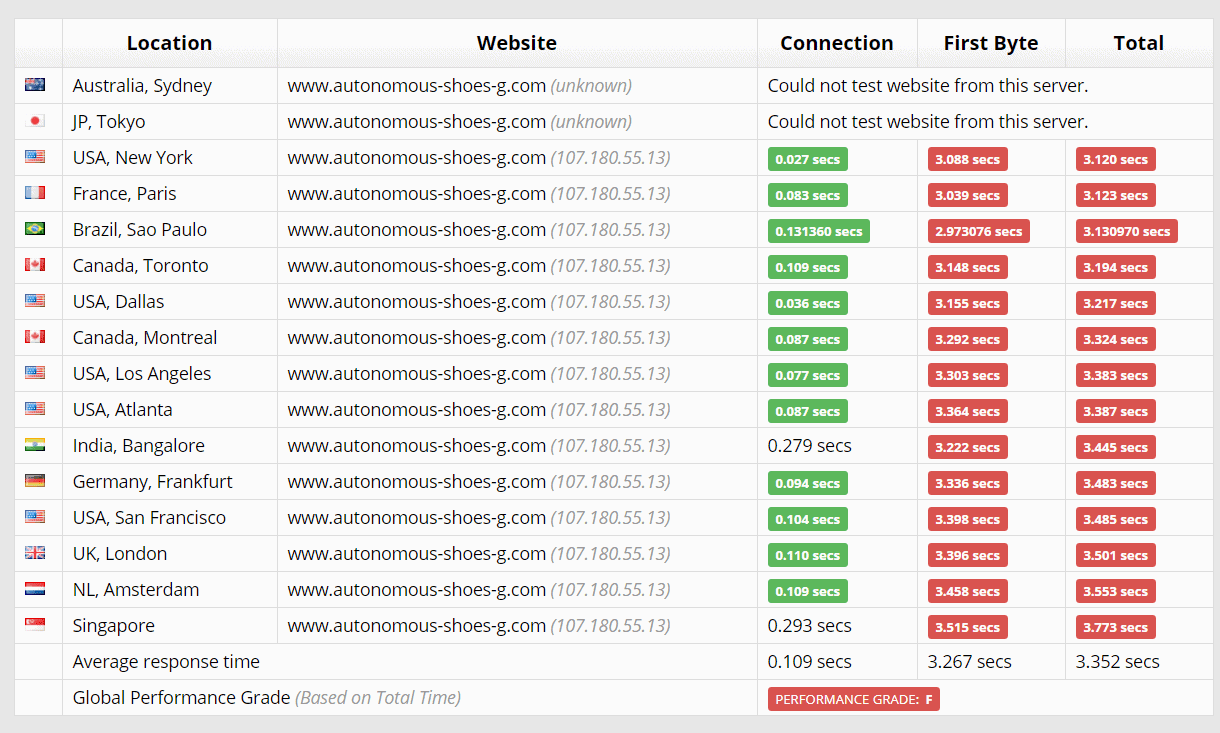
Credit: www.websiteplanet.com
Wordpress Compatibility
WordPress remains the top choice for website creation worldwide. Hosting providers must offer strong WordPress compatibility. This ensures smooth site setup and reliable performance. Hostinger, GoDaddy, and Bluehost all support WordPress well. Yet, they differ in features and ease of use. Understanding these differences helps pick the best host for WordPress sites.
Official Recommendations
Bluehost is officially recommended by WordPress.org. This endorsement adds trust and proves compatibility. Hostinger and GoDaddy do not have this official badge. Still, both provide solid support for WordPress. Bluehost’s close partnership means updates and features align well. It often receives quick support for WordPress issues.
Optimized Hosting Plans
Hostinger offers affordable WordPress-optimized plans. These include speed and security enhancements. GoDaddy’s plans cover a wide range but may lack deep WordPress tuning. Bluehost focuses heavily on WordPress optimization. It provides built-in caching and automatic updates. These features improve site speed and reduce maintenance tasks.
Ease Of Wordpress Installation
Hostinger features a simple one-click WordPress installer. Beginners find it quick and easy. GoDaddy also offers one-click install but with extra upsell prompts. Bluehost’s WordPress installation is seamless and beginner-friendly. It often completes setup faster than the others. All three hosts support manual WordPress installs too.
Target Users
Choosing the right web host depends heavily on the needs of the user. Each hosting provider has unique strengths that fit certain groups better. Understanding who each service suits helps in making a smart choice. Hostinger, GoDaddy, and Bluehost target different audiences based on features, pricing, and brand values.
Beginners And Small Businesses
Hostinger offers simple plans with easy setup. It is ideal for those starting a website or running a small business. Bluehost provides strong support and beginner-friendly tools. GoDaddy has easy-to-use website builders and solid customer service. These hosts help users launch sites without technical skills.
Budget-conscious Users
Hostinger stands out with low prices and good performance. It suits users who want value without extra costs. Bluehost offers moderate pricing with reliable uptime. GoDaddy tends to be pricier, especially on renewals. Budget users benefit from comparing features and costs closely.
Brand-focused Customers
GoDaddy is well-known and trusted by many. It appeals to users valuing brand reputation and extensive support. Bluehost also has strong brand recognition, especially among WordPress users. Hostinger is less known but growing fast. Brand-focused customers often pick hosts with proven track records.

Credit: bloggerspassion.com
Pros And Cons
Choosing the right web hosting provider means weighing their pros and cons. Each service has strengths and weaknesses. Knowing these helps pick the best fit for your needs.
Below is a clear look at the advantages and drawbacks of Hostinger, GoDaddy, and Bluehost.
Hostinger Advantages And Drawbacks
Hostinger offers very affordable plans. It has fast loading times and strong uptime. The user interface is simple and friendly. Many plans include free domain and SSL certificates. It also provides an AI website builder for easy site creation.
On the downside, customer support is mainly chat-based, which may not suit everyone. Some advanced features are limited in the cheapest plans. Also, backups are not daily unless you pay extra.
Godaddy Advantages And Drawbacks
GoDaddy is a well-known brand with a large user base. It provides 24/7 phone support and a wide range of hosting options. The setup process is straightforward. The performance is solid with good uptime.
Drawbacks include higher prices, especially at renewal. Free SSL certificates may only be for the first year. The interface can feel cluttered and less intuitive. Performance speed is generally slower than Hostinger.
Bluehost Advantages And Drawbacks
Bluehost is officially recommended by WordPress. It offers easy WordPress integration and a beginner-friendly dashboard. Customer support is responsive with phone and chat options. It provides free SSL and domain for the first year.
However, Bluehost's pricing is higher than Hostinger's. The renewal fees increase significantly. Site speed and server response times are average. Some users report occasional downtime and mixed support experiences.
Final Considerations
Choosing the right web hosting service is crucial for your online presence. Hostinger, GoDaddy, and Bluehost each offer unique strengths. Final considerations help you decide which fits your needs best. This section covers key points to guide your choice.
Choosing Based On Needs
Assess your website goals first. Hostinger suits budget users who want fast speed. GoDaddy appeals to those valuing brand trust and varied plans. Bluehost works well for beginners seeking easy WordPress integration. Match features to your site’s purpose. Consider bandwidth, storage, and extra tools offered. Your choice should align with your current project requirements.
Future Scalability
Think about your site’s growth potential. Hostinger offers affordable upgrades and strong performance. GoDaddy provides many hosting types for expanding businesses. Bluehost supports scaling with managed WordPress and VPS options. Make sure your host can handle traffic spikes and feature needs. Planning ahead avoids costly migrations later.
Support And Community
Reliable support is vital. Hostinger has 24/7 live chat and knowledge base. GoDaddy offers phone support and a large user community. Bluehost features WordPress experts and tutorials. Check the availability and quality of customer service. A helpful community can solve problems faster. Good support reduces downtime and frustration.
Frequently Asked Questions
Which Is Better Hostinger Or Bluehost?
Hostinger offers better value with lower prices, faster speeds, and more features. Bluehost suits beginners needing official WordPress support. Choose Hostinger for affordability and performance; pick Bluehost for user-friendly, reliable hosting.
Is Hostinger Better Or Godaddy?
Hostinger offers better performance, affordability, and features like free SSL and domain. GoDaddy provides brand recognition and diverse plans but costs more. Hostinger suits budget users seeking speed; GoDaddy appeals to those valuing support and brand familiarity.
Why Stay Away From Godaddy?
Stay away from GoDaddy due to expensive plans, slower server speeds, overpacked servers, and limited free SSL on basic plans.
What Is The Disadvantage Of Hostinger?
Hostinger’s main disadvantage is frequent hPanel updates, which can confuse beginners adapting to constant layout changes.
Conclusion
Choosing between Hostinger, GoDaddy, and Bluehost depends on your needs. Hostinger offers good speed and low prices. GoDaddy has strong brand recognition and many support options. Bluehost provides reliable service with easy WordPress integration. Each has pros and cons to consider.
Think about your budget, website goals, and technical comfort. This way, you can pick the best hosting provider for you.

Comments (0)